Hacked Email Account: How to Recover Access and Secure Your Information
A hacked email account can expose more than messages. Attackers may change recovery details, create hidden forwarding rules and access banking or shopping accounts. Follow the right recovery steps whether you can still sign in or have been locked out.
In this article
- How Can You Tell If Your Email Account Has Been Hacked?
- What to Do Immediately If Your Email Account Is Hacked
- Scenario 1: How to Secure a Hacked Email Account When You Can Still Sign In
- Scenario 2: How to Recover a Hacked Email Account When You're Locked Out
- What Can Hackers Do With Your Email Account?
- What to Check After Recovering a Hacked Email Account
- How to Protect Other Accounts After an Email Hack
- How to Warn Contacts About a Hacked Email Account
- How to Prevent Your Email From Being Hacked Again
- Gmail vs. Outlook vs. Yahoo: Which Recovery Method Should You Use?
- Frequently Asked Questions
- Final Takeaway
A hacked email account can put your passwords, financial information, private conversations and other online accounts at risk. Email is frequently used to reset passwords, verify identities and receive sensitive account notifications. Someone who gains unauthorized access may therefore be able to compromise services far beyond your inbox.
The warning signs are not always obvious. You might discover an unfamiliar login, a password-reset notification you never requested or messages sent from your address without your knowledge. In other situations, the attacker changes your password and recovery information, preventing you from signing in.
The recovery process depends on whether you can still access your email. If you remain signed in, the priority is removing unauthorized access and securing the account. If you are locked out, the first step is to use the provider's official recovery procedure.
How Can You Tell If Your Email Account Has Been Hacked?
A hacked email account may show unfamiliar login activity, unexpected security changes, unauthorized messages or email settings that you did not create. Even if your password still works, an attacker may have obtained access through a stolen session, connected application or compromised credentials.
The Federal Trade Commission identifies unexpected account changes, unfamiliar sign-in notifications and inability to log in as important indicators of account compromise.
Common Signs of a Hacked Email Account
Warning sign | What it may indicate | Recommended response |
Password changed without permission | Unauthorized account takeover | Start official account recovery |
Unfamiliar login notification | Suspicious account access | Review security activity |
Emails sent without your knowledge | Someone may be using your account | Secure account and warn contacts |
Missing incoming messages | Messages may be deleted or redirected | Inspect filters and forwarding |
New recovery phone or email | Account recovery settings were changed | Remove unauthorized information |
Unexpected password-reset emails | Attempts to access linked services | Secure affected accounts |
Unknown connected applications | Third-party access may have been granted | Review and revoke suspicious access |
Unexpected multi-factor authentication prompts | Someone may be attempting to sign in | Deny requests and investigate |
Not every unusual notification proves a successful hack. Automated login attempts and legitimate security alerts can also occur without an account takeover.
However, a combination of unexpected password changes, unknown sessions and altered settings should be treated as a serious warning.
What to Do Immediately If Your Email Account Is Hacked
If you suspect your email account has been hacked, secure access through the provider's official website, review active sessions and protect the recovery methods associated with the account. Avoid following suspicious links inside unexpected emails, even if they appear to come from the provider.
A safe initial response is to open the email service using a trusted browser or application and navigate directly to its account-security settings. If you cannot sign in, use the official recovery service rather than a third-party recovery company.
Also consider whether the device you use for email may be compromised. Changing a password from a device affected by malware can expose the new credentials.
Scenario 1: How to Secure a Hacked Email Account When You Can Still Sign In
If you can still sign in to a hacked email account, changing the password and removing unauthorized access should be your immediate priorities. Acting quickly may prevent the attacker from locking you out or continuing to intercept messages.
Step 1: Change Your Email Password
Replace the existing password with a strong, unique password that has not been used on another website. A reused password may allow an attacker to compromise multiple services after obtaining credentials from one data breach.
Use a reputable password manager or generate a secure password with the Eagle Post Daily Password Generator. A longer passphrase or randomly generated password can provide stronger protection than a short, predictable combination of words and numbers.
Do not send the new password to anyone or enter it into a website reached through an unsolicited message.
Step 2: Sign Out of Unrecognized Devices and Sessions
Review the devices and sessions connected to your email account, then revoke access you do not recognize. An attacker may remain signed in even after a password change, depending on the service and the type of session.
Many providers offer account-security pages that display recent activity or connected devices. Use the available options to remove unfamiliar sessions and, where supported, sign out of other devices.
Be aware that changing a password does not necessarily revoke every third-party authorization or session. Follow the provider's recommended account-compromise process.
Step 3: Turn On Multi-Factor Authentication
Enable multi-factor authentication (MFA) or two-factor authentication (2FA) to make unauthorized sign-ins more difficult. This adds another verification requirement beyond the password.
Depending on the provider, available methods may include authenticator applications, security keys, passkeys or other approved authentication options. Phishing-resistant methods such as security keys and appropriately configured passkeys can offer stronger protection against credential theft.
Save recovery codes securely if the provider offers them. Do not store your only recovery method in the same potentially compromised mailbox.
Step 4: Check Your Recovery Email and Phone Number
Confirm that your account recovery information belongs to you and has not been changed by an attacker. An unauthorized recovery address or phone number may allow someone to regain control even after the password has been reset.
Review all recovery methods, including backup addresses, phone numbers and other options offered by the provider. Remove unfamiliar information using the provider's supported procedure.
You should also secure the separate email account or phone number used for recovery. If that recovery method is compromised, the attacker may still have another route into your primary account.
Step 5: Remove Suspicious Email Forwarding Rules
Check forwarding settings, filters and inbox rules for instructions that secretly send messages to another address. Attackers sometimes use these features to continue receiving private messages even after the account owner regains control.
Review automatic forwarding destinations and rules that delete, archive or redirect particular messages. Pay special attention to filters involving bank notifications, password resets, invoices or security alerts.
Remove rules you did not create, and inspect your sent, deleted and archived folders for unusual activity.
Step 6: Review Connected Apps and Account Permissions
Remove access granted to applications or services you do not recognize or no longer use. Some third-party applications can read email or perform actions through authorized connections rather than directly signing in with your password.
Review third-party permissions, application passwords, mail clients and other integrations provided by your email service. Revoke suspicious access and replace any exposed credentials.
For work accounts, contact your organization's administrator before removing integrations that may be required for business operations.
Scenario 2: How to Recover a Hacked Email Account When You're Locked Out
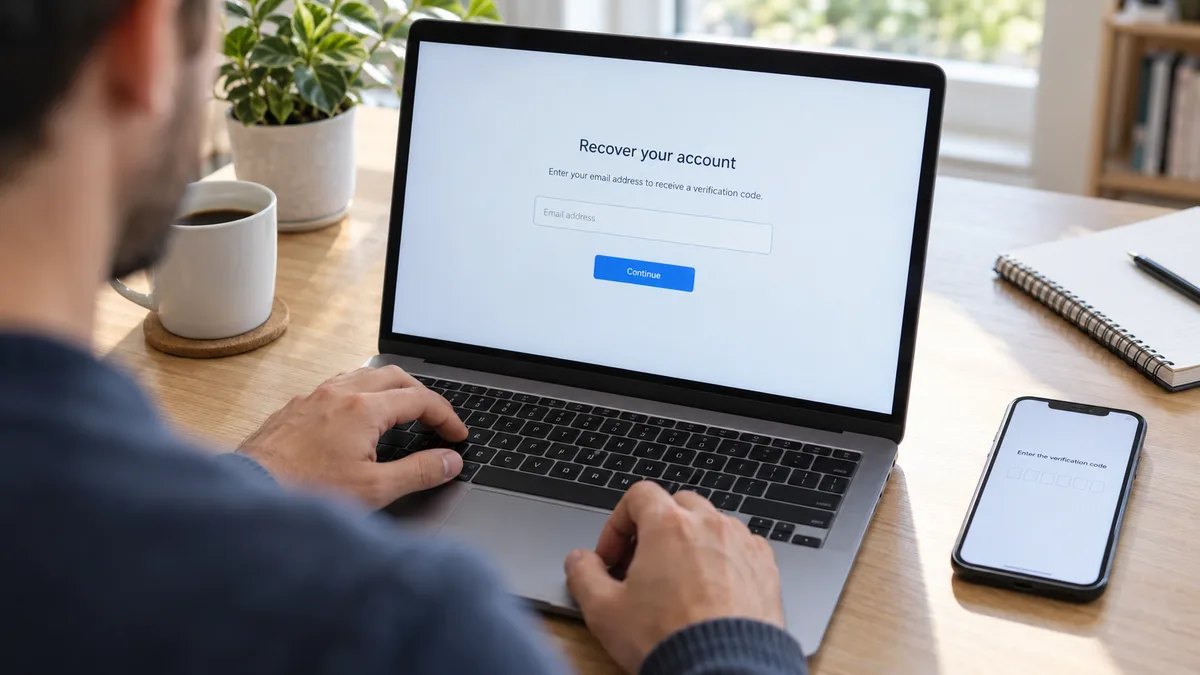
If an attacker has changed your email password or recovery information, use the email provider's official account recovery process. Do not rely on unfamiliar websites offering guaranteed access restoration.
Account recovery typically involves proving that you are the legitimate account owner. The provider may ask for a previously used password, verification through an established recovery method or other information available within its security system.
Successful recovery is not guaranteed in every case, particularly when the provider cannot establish ownership. Nevertheless, following the official procedure is safer than sharing personal data or recovery codes with third parties.
How to Recover a Hacked Gmail Account
To recover a hacked Gmail account, use Google's official account recovery process and follow its identity-verification instructions. Google supports recovery for people who have forgotten passwords, lost access to verification methods or suspect unauthorized use.
Open Google Account Recovery and enter the affected account information. Answer the verification questions as accurately as possible and follow the available steps.
Google recommends using familiar devices and locations when completing recovery because these may help establish account ownership. If recovery is successful, update security settings and review connected services immediately.
Do not pay someone claiming to have a special way to bypass Google's recovery system. Google warns against services that request passwords or verification codes.
How to Recover a Hacked Outlook or Microsoft Account
A hacked Outlook account should be recovered through Microsoft's official account-security and recovery resources. Depending on the situation, Microsoft may offer verification options, account recovery forms or other security checks.
Begin with the official Microsoft Account Support pages and select the guidance for compromised or inaccessible accounts.
Follow Microsoft's instructions rather than assuming the Gmail recovery process applies. The verification options and required information can differ between providers.
After recovering access, review recent sign-ins, recovery details, account permissions and email-forwarding or inbox rules. A recovered password is only one part of securing a compromised account.
How to Recover a Hacked Yahoo Email Account
Yahoo account recovery should begin with its official Sign-in Helper and account-security resources. Available options may depend on the recovery phone number, alternate email address and account information associated with the mailbox.
Use the official Yahoo Sign-in Helper to begin the process. Follow the verification methods presented by Yahoo and avoid sharing authentication codes with anyone contacting you unexpectedly.
When access is restored, inspect account security and mail settings. Remove unfamiliar forwarding configurations, recovery information and connected applications where applicable.
What If You Cannot Recover Your Email Account?
If official recovery attempts do not restore access, prioritize protecting the services and information connected to the compromised mailbox. Start with accounts that can still be accessed through independent authentication methods.
Change the email address associated with financial services, shopping accounts and other important platforms when their support systems permit it. If necessary, notify the affected providers that the original mailbox may be controlled by another person.
Consider creating a replacement email account with strong authentication. Inform important contacts through an alternative trusted communication channel and warn them about suspicious messages originating from the compromised address.
What Can Hackers Do With Your Email Account?
An attacker who controls your email may be able to read private messages, intercept verification links, impersonate you and attempt to access other online accounts. The actual damage depends on the information stored in the mailbox and the security protections on connected services.
Email inboxes often contain old receipts, personal addresses, invoices, financial notices and account-creation records. Even information that appears harmless individually can become useful when combined with other stolen data.
The most serious risk is that an attacker may use access to your inbox to initiate password resets for unrelated accounts.
Can Someone Hack Your Bank Account Through Your Email?
Compromising an email address can make attacks against financial accounts easier, but email access alone does not automatically provide access to a bank account. Banks may require separate passwords, multifactor authentication and other verification procedures.
However, an attacker may exploit password-reset messages, personal information or phishing opportunities. If financial notifications or security messages appear to have been intercepted, contact the bank through its official website or published customer-service number.
Review recent transactions and login activity. If unauthorized financial activity has occurred, report it to the institution promptly and follow its dispute instructions.
Can Hackers Access Accounts Linked to Your Email?
A hacked email account may expose other services that rely on the mailbox for password resets or identity verification. Shopping websites, social platforms, cloud storage and subscription services can all be affected.
The safest approach is to identify important accounts associated with the email address and review their security individually. Prioritize accounts containing payment details, private documents or sensitive personal information.
Change reused passwords, enable multifactor authentication and remove suspicious sessions wherever possible.
What to Check After Recovering a Hacked Email Account
A recovered email account should be treated as potentially exposed until its settings, connected applications and linked accounts have been reviewed. An attacker may have already copied messages or created persistent access methods.
Use the following checklist:
Security item | What to verify | Why it matters |
Password | Strong, unique replacement | Prevents reuse of stolen credentials |
MFA or passkeys | Enabled and controlled by you | Adds sign-in protection |
Recovery information | Correct phone and email | Prevents repeat takeover |
Active sessions | Unknown sessions removed | Limits continued access |
Forwarding rules | Unauthorized rules deleted | Stops ongoing message interception |
Email filters | Suspicious filtering removed | Restores visibility of important messages |
Connected apps | Unknown access revoked | Reduces hidden account access |
Sent and deleted mail | Checked for suspicious activity | Helps identify potential misuse |
Financial accounts | Activity reviewed | Detects related compromise |
Devices | Checked for malware and updates | Reduces reinfection risk |
Complete the checks from a trusted device. If you suspect malware, update the operating system and security software and follow the device vendor's recommended scanning or recovery procedure.
How to Protect Other Accounts After an Email Hack
Protecting connected accounts is essential because an attacker may have used the compromised mailbox to request password resets or collect account information. Even after the email provider restores your access, those other services may remain vulnerable.
Start with banking, payment, shopping and cloud-storage accounts. Then review social media, subscriptions and other services that rely on the email address.
For each important account, change compromised or reused passwords, enable strong authentication and review recent activity. If personal information has been stolen, additional measures may be appropriate.
What If Your Identity Information Was Stolen?
If the email compromise exposed personal information that could be used for identity theft, consider reporting the situation through the FTC's IdentityTheft.gov service. The appropriate recovery steps depend on the type of information involved.
For example, exposure of financial account credentials requires different action from the disclosure of a mailing address. A stolen Social Security number may justify reviewing credit reports and considering a credit freeze.
Report suspicious transactions directly to the relevant financial institutions. Do not assume that securing the email account automatically resolves identity-theft risks.
How to Warn Contacts About a Hacked Email Account
Notify contacts if the attacker may have used your email address to send fraudulent messages, malicious links or requests for money. Prompt notice can reduce the chance that friends, colleagues or customers become additional victims.
Use a trusted communication method, particularly if the email account is not yet secure. Explain that messages sent during the suspected compromise should be treated cautiously.
For business accounts, determine whether clients, vendors or coworkers received suspicious invoices, payment instructions or confidential information. Business email compromise can have consequences beyond the account owner's personal correspondence.
How to Prevent Your Email From Being Hacked Again
Preventing another email account takeover requires unique credentials, strong authentication, updated devices and careful management of account permissions. A password change alone does not address every possible attack method.
Avoid using the same password across unrelated websites, since credentials exposed in a breach can be tested against other services. Use a password manager to generate and store unique passwords.
Enable phishing-resistant authentication when available. Regularly review account recovery methods, connected devices and authorized applications, especially after receiving an unfamiliar security notification.
Does Two-Factor Authentication Stop All Email Hacks?
Two-factor authentication substantially improves account security, but it does not prevent every type of compromise. Attackers may use phishing, stolen session tokens, malware or social engineering to bypass certain protections.
Security keys and properly configured passkeys offer stronger resistance to many phishing attacks than easily intercepted codes. However, keeping devices secure and maintaining accurate recovery information remain essential.
No single feature should be treated as a guarantee against unauthorized access.
Should You Change Your Email Password Regularly?
Changing an email password is especially important when it has been exposed, reused or potentially stolen. Routine changes without evidence of compromise are not necessarily more useful than maintaining a strong, unique credential protected by multifactor authentication.
Focus on eliminating reused passwords and monitoring for security alerts. Change credentials immediately when credible evidence suggests they have been compromised.
Gmail vs. Outlook vs. Yahoo: Which Recovery Method Should You Use?
The correct recovery method is the one officially provided by your email service, because Gmail, Outlook and Yahoo do not use identical account-verification systems. Similar security principles apply across all three, but the exact recovery steps and available options differ.
Email provider | Official starting point | Important checks after recovery |
Gmail | Google Account Recovery | Devices, recovery methods, forwarding, third-party access |
Outlook | Microsoft Account Support | Recent activity, sign-in methods, inbox rules, recovery details |
Yahoo Mail | Yahoo Sign-in Helper | Security settings, recovery methods, forwarding, app access |
Account settings and menu names can change. Always use current provider documentation rather than unofficial screenshots or instructions claiming to offer a guaranteed bypass.
Frequently Asked Questions
Can I recover a hacked email account if the password was changed?
Yes, recovery may be possible through the email provider's official account recovery system. The outcome depends on whether the provider can verify your ownership using its available security information and recovery methods.
What should I do if my hacked email is sending spam?
Secure the account, change the password, revoke unauthorized sessions and inspect connected applications and forwarding settings. Warn contacts not to trust suspicious messages and check whether another device or application is contributing to the activity.
Can a hacker still read my emails after I change my password?
It may be possible if the attacker retains an active session, connected application permission or unauthorized forwarding rule. That is why password changes should be followed by session reviews, permission checks and removal of suspicious mail settings.
How long does it take to recover a hacked email account?
Recovery times vary by provider, available verification methods and the complexity of the compromise. Some users may regain access quickly, while others face additional security checks or may be unable to recover the account. There is no guaranteed universal recovery deadline.
Should I delete a hacked email account?
Deleting the account is not automatically the best solution, especially when other services depend on the address for recovery. First secure financial and other important accounts, preserve necessary records and evaluate whether the email account can be safely restored. If you decide to discontinue it, update linked services before closing it.
Final Takeaway
A hacked email account requires more than a password reset. Effective recovery includes restoring legitimate access, removing unauthorized sessions and forwarding rules, reviewing account recovery information and protecting other services connected to the compromised mailbox.
If you can still sign in, begin with account security settings. If you are locked out, use the provider's official recovery process. In either case, treat the affected inbox as potentially exposed until you have checked its settings and addressed risks to connected accounts.
Spotted an error? Tell our editors. Read our corrections policy.